
Go to Mac platform Display platforms icon
Go to Mac platform Go to Windows platform Go to Android platform Go to iOS platform
DVDFab icon

DVDFab

13.0.5.8
Dev Onboard
5 1 reviews
13.5 k downloads
security security

The easiest way to rip a movie from a DVD

Advertisement
Remove ads and more with Turbo
Advertisement
Remove ads and more with Turbo
Álvaro Toledo icon
Reviewed by
Álvaro Toledo
Chief Content Officer
Álvaro Toledo is part of Uptodown's in-house Editorial Team. Translated by Uptodown Localization Team

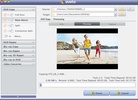
If you're looking for a simple program to back up your original DVDs, DVDFab is for you. Just insert the movie and the blank DVD and press the 'start' button.

The entire movie (including menus and extras like trailers, special features, etc.) will begin copying itself. The amount of time this process takes will depend on the speed of your computer, the speed of your processor, and the size of the DVD.

Advertisement
Remove ads and more with Turbo

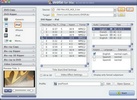
If you want to copy the movie without subtitles or extras, you can choose to copy everything but those elements. The movie can also be imported from the hard drive if you've already ripped it.

DVDFab supports NTSC and PAL formats, can compress a DVD-9 into a single DVD with perfect quality, and bypasses regional restrictions. Now you can back up your original discs without all the hassle.

Information about DVDFab 13.0.5.8

Basic information

Developer DVDFab
License Trial
Category CD & DVD
Rating Not specified
Languages English
6 more

Security and privacy

Required permissions Not applicable
Advertising Not specified
See security and antivirus report
Why is this app published on Uptodown? (More information)

Download info

Downloads 13,534
Date May 13, 2026
File type DMG
Size 358.85 MB
SHA256 4e797ab098e069f197713683c10f5e8396a798f91d4b5ef3e07dd4b35859d702
Advertisement
Remove ads and more with Turbo

Older versions

See more
dmg 13.0.5.4 Jan 30, 2026
dmg 13.0.5.1 Dec 17, 2025
dmg 13.0.4.6 Sep 11, 2025
dmg 13.0.4.5 Aug 6, 2025
dmg 13.0.4.3 Jul 9, 2025
dmg 13.0.4.0 May 12, 2025
Available for other platforms

Rate this App

Review the app
DVDFab icon

Rating

5.0
5
4
3
2
1
1 reviews

Comments

There are no opinions about DVDFab yet. Be the first! Comment

Advertisement
Remove ads and more with Turbo
DVD Audio Extractor icon
Extract the audio file from a DVD
Yuhan Blu-ray DVD Creator icon
It is an all-in-one DVD, Blu-ray, and 4K UHD authoring software
Burn icon
Audio CD/DVD, data and video burning
DAEMON Tools icon
Play CDs and DVDs on your Mac with anti-copy systems
AnyToISO icon
Convert images from CD to ISO format
LiquidCD icon
Maconnect
iWinSoft Mac CD DVD Label Maker icon
Create your own CD and DVD case covers
Disketch Plus icon
An excellent program to design labels and covers for CDs
CapCut icon
Full-featured video editing
DaVinci Resolve icon
Comprehensive video and audio editor used in Hollywood
Wondershare Filmora icon
Easily create and edit impressive videos
Topaz Video AI icon
Improve the quality of your videos with AI
Canva icon
Create designs from hundreds of resources
WaveSpeed icon
AI video and image generation on Mac
ComfyUI icon
Create images using artificial intelligence
HitPaw Univd icon
Convert videos to any formats and download videos from website on Mac
balenaEtcher icon
Create self-booting external disks on Mac
Logitech G HUB icon
Customize your Logitech devices
VMWare Fusion Pro icon
Virtualize different operating systems on your Mac
Parallels Desktop icon
Perfect Virtualization of Windows operating systems
CrossOver icon
Run Windows apps and games on Mac
Cloudflare WARP (1.1.1.1) icon
Securely shield your Internet connection
Android File Transfer icon
Transfer files from an Android device to Mac
OpenCore Legacy Patcher icon
Install recent versions of macOS on your old Mac